How to invoice the TAC
There are three ways to invoice the TAC; HICAPS Digital, email and mail.
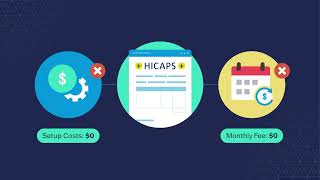
HICAPS Digital
Eligible providers can use HICAPS Digital to submit online invoices. Payment decisions are made immediately, and you can receive payment the next business day.
Find out more about HICAPS Digital in the video below or visit our HICAPS Digital page.

To invoice the TAC via email, submit your invoice as a PDF attachment to invoices@tac.vic.gov.au
Your email must contain:
- invoices for only one client per email
- the word ‘invoice’ and the TAC claim number in the subject line i.e. Invoice for TAC claim xx/xxxx
- invoices in PDF format (not Microsoft Excel or Word)
- no links to accounting programs (e.g. MYOB)
The below video has information on invoicing requirements to receive efficient payment.
Post
To invoice the TAC by post you must send an original copy of the invoice to:
Transport Accident Commission (TAC)
GPO Box 2751
MELBOURNE VIC 3001
The video above has information on invoicing requirements to receive efficient payment.
How to submit an invoice
HICAPS Digital
Eligible providers can use HICAPS Digital to submit online invoices. Payment decisions are made immediately, and you can receive payment the next business day.
Find out more about HICAPS Digital in the video below or visit our HICAPS Digital page.
To invoice the TAC via email, submit your invoice as a PDF attachment to invoices@tac.vic.gov.au
Your email must contain:
- invoices for only one client per email
- the word ‘invoice’ and the TAC claim number in the subject line i.e. Invoice for TAC claim xx/xxxx
- invoices in PDF format (not Microsoft Excel or Word)
- no links to accounting programs (e.g. MYOB)
The below video has information on invoicing requirements to receive efficient payment.
Post
To invoice the TAC by post you must send an original copy of the invoice to:
Transport Accident Commission (TAC)
GPO Box 2751
MELBOURNE VIC 3001
The video above has information on invoicing requirements to receive efficient payment.
What to include on your invoice
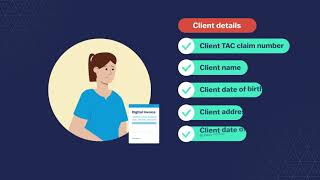
If you invoice us via email or post, submit a valid tax invoice with all of the details below to get paid promptly and accurately. If details are missing, we may not be able to pay you, or your payment may be delayed. We may request further documentation or information from you in order to verify claims prior to approving payment.
If you invoice via HICAPS Digital it will ask you to include the information below before you can submit an invoice.
A separate invoice is needed for each client – multiple clients cannot appear on the same invoice. If you include multiple providers on one invoice, clearly list the services delivered by each provider.
- TAC details
- Address the invoice to the TAC:
TAC
GPO Box 2751
Melbourne VIC 3001 - Your business details
- Billing address
- Service location (if different to billing address)
- Email address
- ABN
- Client details
- Client TAC claim number
- Client name
- Client date of birth
- Client address
- Client date of accident (if claim number is unknown)
- Provider details
- Provider name
- Provider type
- Provider Medicare stem (if applicable)
- Service details
- TAC or MBS item number
- Date of service
- Description of service (as per the TAC fee schedule)
- Duration of service (in hours) or quantity of service
- Fee
- GST
- Total amount of invoice
- Purchase order number (where supplied by the TAC)
- Your bank account details
- Account name
- Account number
- Bank name
- BSB
Receiving your payment
We pay via Electronic Funds Transfer (EFT). To enable this, please complete the relevant form:
- Provider registration form to register as a TAC provider and give us your bank account information
- Update bank details form to change your bank account information with us
All TAC remittances are online. If you invoice by email or post, you must be registered with Westpac PaymentsPlus to access your TAC remittances. More information is available on our Getting paid page.
Standard invoice requirements
If you invoice us via email or post, submit a valid tax invoice with all of the details below to get paid promptly and accurately. If details are missing, we may not be able to pay you, or your payment may be delayed. We may request further documentation or information from you in order to verify claims prior to approving payment.
If you invoice via HICAPS Digital it will ask you to include the information below before you can submit an invoice.
A separate invoice is needed for each client – multiple clients cannot appear on the same invoice. If you include multiple providers on one invoice, clearly list the services delivered by each provider.
- TAC details
- Address the invoice to the TAC:
TAC
GPO Box 2751
Melbourne VIC 3001 - Your business details
- Billing address
- Service location (if different to billing address)
- Email address
- ABN
- Client details
- Client TAC claim number
- Client name
- Client date of birth
- Client address
- Client date of accident (if claim number is unknown)
- Provider details
- Provider name
- Provider type
- Provider Medicare stem (if applicable)
- Service details
- TAC or MBS item number
- Date of service
- Description of service (as per the TAC fee schedule)
- Duration of service (in hours) or quantity of service
- Fee
- GST
- Total amount of invoice
- Purchase order number (where supplied by the TAC)
- Your bank account details
- Account name
- Account number
- Bank name
- BSB
Receiving your payment
We pay via Electronic Funds Transfer (EFT). To enable this, please complete the relevant form:
- Provider registration form to register as a TAC provider and give us your bank account information
- Update bank details form to change your bank account information with us
All TAC remittances are online. If you invoice by email or post, you must be registered with Westpac PaymentsPlus to access your TAC remittances. More information is available on our Getting paid page.
All medical practitioners
- Name and provider number of the medical practitioner who performed the service (if different from the provider claiming for the service)
- Indication if the procedure was provided for an 'admitted patient' or was performed 'in rooms'
- MBS item number and description of each service (AMA item numbers cannot be accepted)
Medical specialists
- Name of referring medical practitioner and either their provider number or practice details (except in trauma/emergency)
Pharmacists
For invoices not submitted through HICAPS Digital, we require the following details before we can pay your invoice:
- Date dispensed
- PBS item number, where available
- Item description, for non-PBS items
- Quantity of medication dispensed
- Medication strength, where applicable
- Amount charged per item
- Dispensary computer generated tax invoice/tax receipt
- For hospital patients, whether the medication is for outpatient or discharge
If you provide a tax invoice statement (instead of a full tax invoice) this must include the script number and item number.
Surgeries
- For surgical procedures provided in a public or private hospital operating theatre, the principal surgeon must provide the hospital operation report generated at the time of the surgical procedure, and that is stored on the hospital patient file, with their invoice.
- For surgical procedures undertaken in a public health service operating theatre, the principal and assistant surgeons no longer invoice the TAC for their service due to a funding model change from 1 July 2026. They need to complete any required documentation and submit their activity to the relevant health service. For further information, refer to Public hospital fees.
- Location of service.
- Side, site or structure of procedure.
- When injuries are associated with a compound (open) wound, the medical practitioner must state on their invoice 'Open' or 'Compound' next to the procedure item number.
- Consultations provided in the aftercare period following surgery must indicate 'not normal aftercare' and provide an explanation as defined by the MBS.
Assistant surgeons
- Identification of the principal surgeon
- Identification of the 'assist' as defined by the MBS
Legal professionals
Please see our Invoicing guidelines for legal costs
Additional requirements for specific professions
All medical practitioners
- Name and provider number of the medical practitioner who performed the service (if different from the provider claiming for the service)
- Indication if the procedure was provided for an 'admitted patient' or was performed 'in rooms'
- MBS item number and description of each service (AMA item numbers cannot be accepted)
Medical specialists
- Name of referring medical practitioner and either their provider number or practice details (except in trauma/emergency)
Pharmacists
For invoices not submitted through HICAPS Digital, we require the following details before we can pay your invoice:
- Date dispensed
- PBS item number, where available
- Item description, for non-PBS items
- Quantity of medication dispensed
- Medication strength, where applicable
- Amount charged per item
- Dispensary computer generated tax invoice/tax receipt
- For hospital patients, whether the medication is for outpatient or discharge
If you provide a tax invoice statement (instead of a full tax invoice) this must include the script number and item number.
Surgeries
- For surgical procedures provided in a public or private hospital operating theatre, the principal surgeon must provide the hospital operation report generated at the time of the surgical procedure, and that is stored on the hospital patient file, with their invoice.
- For surgical procedures undertaken in a public health service operating theatre, the principal and assistant surgeons no longer invoice the TAC for their service due to a funding model change from 1 July 2026. They need to complete any required documentation and submit their activity to the relevant health service. For further information, refer to Public hospital fees.
- Location of service.
- Side, site or structure of procedure.
- When injuries are associated with a compound (open) wound, the medical practitioner must state on their invoice 'Open' or 'Compound' next to the procedure item number.
- Consultations provided in the aftercare period following surgery must indicate 'not normal aftercare' and provide an explanation as defined by the MBS.
Assistant surgeons
- Identification of the principal surgeon
- Identification of the 'assist' as defined by the MBS
Legal professionals
Please see our Invoicing guidelines for legal costs
Receiving your payment
We pay via Electronic Funds Transfer (EFT). To enable this, please complete the relevant form:
- Provider registration form to register as a TAC provider and give us your bank account information
- Update bank details form to change your bank account information with us
All TAC remittances are online. If you invoice by email or post, you must be registered with Westpac PaymentsPlus to access your TAC remittances. More information is available on our Getting paid page.
Time limit for submitting invoices
We can fund the reasonable cost of medical and like expenses incurred in relation to a transport accident when the ‘application for payment’ is made within:
- Three years of the date of the client's date of accident, or
- Two years of the date of incurring the expense in any other case.
Please refer to our policy for more information.
If you need help
Please call 1300 654 329 and a member of our Customer Service Team can help you with any questions.

