Standard invoice requirements
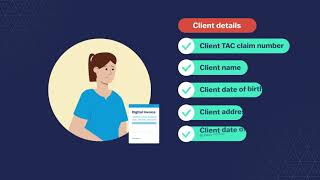
If you invoice us via email or post, submit a valid tax invoice with all of the details below to get paid promptly and accurately. If details are missing, we may not be able to pay you, or your payment may be delayed. We may request further documentation or information from you in order to verify claims prior to approving payment.
If you invoice via HICAPS Digital it will ask you to include the information below before you can submit an invoice.
A separate invoice is needed for each client – multiple clients cannot appear on the same invoice. If you include multiple providers on one invoice, clearly list the services delivered by each provider.
- TAC details
- Address the invoice to the TAC:
TAC
GPO Box 2751
Melbourne VIC 3001 - Your business details
- Billing address
- Service location (if different to billing address)
- Email address
- ABN
- Client details
- Client TAC claim number
- Client name
- Client date of birth
- Client address
- Client date of accident (if claim number is unknown)
- Provider details
- Provider name
- Provider type
- Provider Medicare stem (if applicable)
- Service details
- TAC or MBS item number
- Date of service
- Description of service (as per the TAC fee schedule)
- Duration of service (in hours) or quantity of service
- Fee
- GST
- Total amount of invoice
- Purchase order number (where supplied by the TAC)
- Your bank account details
- Account name
- Account number
- Bank name
- BSB
Receiving your payment
We pay via Electronic Funds Transfer (EFT). To enable this, please complete the relevant form:
- Provider registration form to register as a TAC provider and give us your bank account information
- Update bank details form to change your bank account information with us
All TAC remittances are online. If you invoice by email or post, you must be registered with Westpac PaymentsPlus to access your TAC remittances. More information is available on our Getting paid page.

